Assigning devices to rooms
The devices can be assigned to rooms if a true-to-scale representation in the floor plan is not required:
- You are signed in.
- 1
- Select the element from the menu bar.
- 2
- In the navigation bar select the tab.
- The room view of the installation plan appears.
- 1
- At the top right switch from Plan to List.
- The list view of the installation plan appears.
- 1
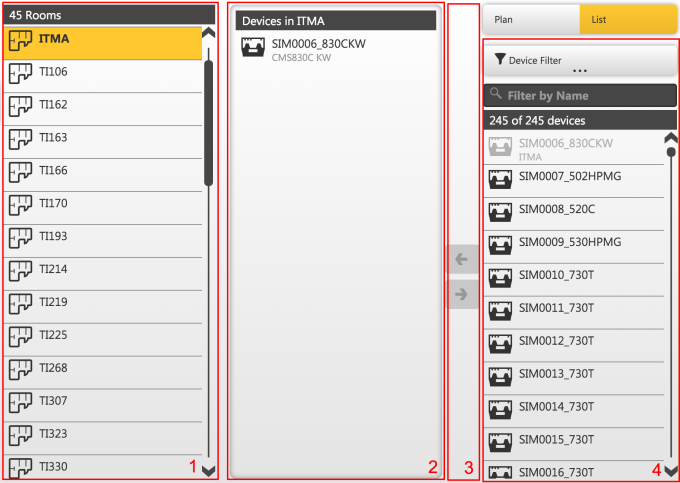
- Select a room on the left of the list (1).
- A list of the devices in this room appears in the center (2).
- 1
- At the very right of the list of all devices (4) the desired devices can be selected.
- 2
- Clicking the < button of the toolbar (3), the selected device or devices can be transferred to the room.
- The room allocation of the devices is changed without the need of saving it.