Assigning machines to a group
How to assign a machine to an existing group:
- 1
- Select the element from the menu bar.
- 2
- In the navigation bar select the tab.
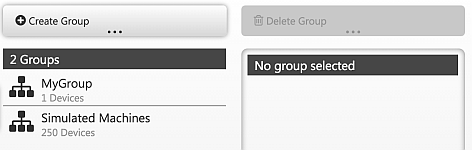
- The list of the groups appear.
- 3
- Select a group from the group list.
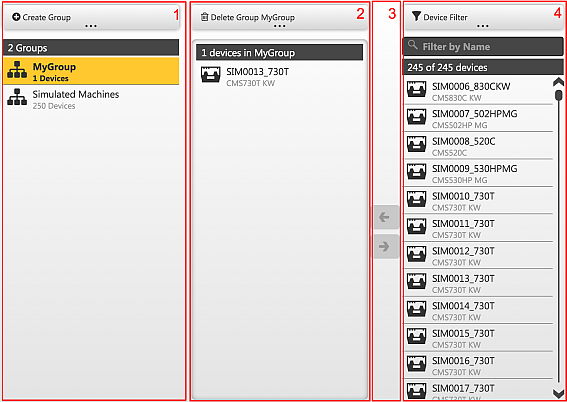
- The machines assigned to the current group are displayed in the middle column (2) of the view if a group is selected in the list (1) The list (3) contains all the available machines for the transfer to the group. The already grouped machines are shown in gray in the list. With the machine filter (4) it is possible to filter for machines, e.g entering a partial designation.
The machine selection can be limited via filters.
Filtering device list / Find machines
How to assign several machines to an existing group:
- 1
- Select the desired group in the list.
- 2
- Select the machines to be added from the left list.
(Multiple selection holding down the Shift key) - 3
- Assign the machines from the left list to the selected group using the <- key.